
Rayse

✔ Now Available - Included with your Stellar MLS subscription.
Open a journey for a buyer or seller you're working with right now and let them see the work you've already done this week. Setup takes only 10 minutes!
To access Rayse, log in to Stellar Central®, , open Products & Services, then select "Stellar Products". Click the Rayse icon, then click the "Access this tool" button.
Jump to:
FAQs
Your Client Sees About 5 of the 200+ Things You Do.
Rayse Shows Them the Rest!
Stellar MLS and Rayse have teamed up to bring you a revolutionary real estate platform that helps you showcase your value clearly, confidently, and consistently. From the first showing to the final signature, Rayse allows your clients to see your expertise in action. This isn't just support, it's a strategy to build trust, win more, and boost your business. See below for more information on how you can ensure that your clients not only experience your expertise but also understand its value.
If you’ve tried Rayse before, this is not the Rayse you remember.
With a rebuilt client experience, a new mobile app, a personalized Closing Report, and RAE voice logs, you’ve never used Rayse like this.
Updates ship weekly to ensure that Rayse is always providing the best experience to its users.
Meet RAE
The Assistant That Captures Your Work as You Do It
RAE is your assistant in your pocket.
While you’re out meeting clients, taking calls, hosting showings, and handling the real work of real estate, RAE helps keep your journey up to date right inside Rayse.
Simply dictate what you’re doing, and RAE translates your conversations and activities into organized updates and outcomes. No extra admin. No backtracking at the end of the day.
Just a simpler, more efficient way to work the way you already work while making your value visible every step of the way.
Your whole journey, one screen at a time.
- Just talk or type, and RAE can log an activity, add a contact, start a journey, invite a client, add a property, record an offer, create or assign to-dos, add calendar events, and confirm milestones
- Your journey is already in context, and you always have the final say.
Client-Ready Ways to Communicate Your Value At Every Stage
Presentation
Your initial consultation becomes a powerful tool to build confidence and clarity. Rayse turns your process into a story of value, insight, and results your clients will remember and trust.
HomeSpace
Rayse is all about buyer clarity. HomeSpace is focused on making complex decisions simple. Tour feedback, offer comparisons, and real-time updates without information overload.
Closing Report
Organize all of your strategic decisions, negotiation wins, and key milestones in one easy-to-read location, making it crystal clear why you are the difference maker.
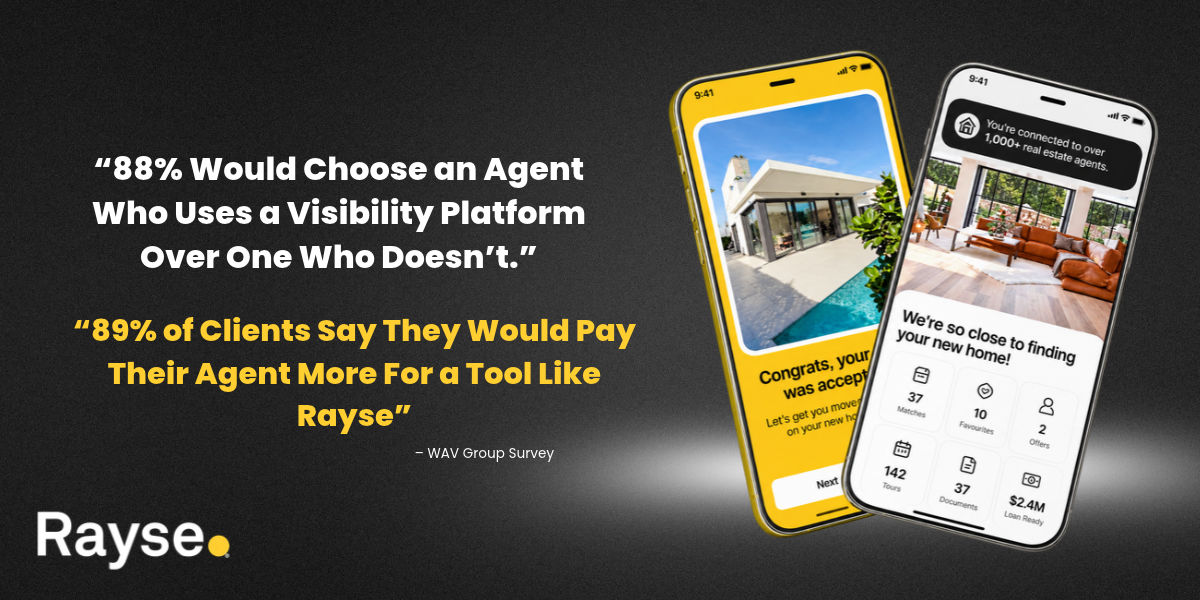
Did you know that 46% of buyers think that their agent spends less than 15 hours to help them buy a home? Learn how to flip that narrative with Rayse!
51% of sellers believe their agent spent less than 20 hours listing and selling their home. The reality is 80-100 hours and 200+ tasks per transaction.
Source WAV Group survey, 2024
Your Value, Amplified, with Rayse
It's time to get excited about this new benefit, included in your Stellar MLS subscription!
"Rayse" your value with:
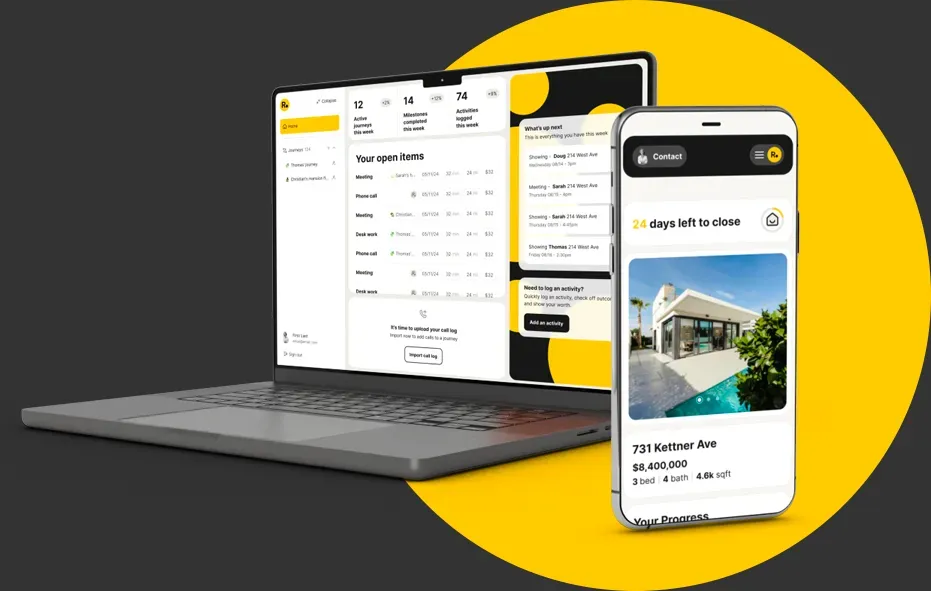
Tours & Offers - Every property and every offer tracked in one place, synced with the MLS, with offer status from submitted through countered, client feedback logged against each home, and automatic alerts before an offer expires.
Mobile App - Rayse Assistant is a real app, not a shrunken website — log work from the field by voice or text, add homes that aren’t in the MLS, pull to refresh, mileage and hours summarized.
Calendar Integration - Connect Google or Microsoft and the agent’s real schedule lives inside Rayse, with events linked to the journey. Showings and appointments stop being invisible work.
The Home Dashboard- One screen for the day — journeys, appointments and RAE inline — instead of hunting through a menu.
Appointments on a map. The day’s showings as a list or a map.
Brokerage Branding- Brand colors carry across the portal, so the client’s experience looks like the brokerage, not like software.
Closing Report - Organizes and automatically generates: journey length, homes toured, offers made, hours logged, mileage, milestones hit, purchase price.
Available Now!
Rayse vs “Update"
Here are some new features you can look forward to with Rayse:
- My Plan each morning, nudges from RAE, an end-of-day recap.
- iOS and Android app with push notifications and location tracking.
- Google and Microsoft 365 sync, one-tap logging.
- HomeSpace with reactions, scorecards and shortlist comparison.
- Seller's Journey with showings, feedback and listing activity.
- Offers tab with counters, Cash to close, Monthly all-in and Net to seller.
- Rayse Reports as a progress report anytime and a retrospective at closing.
- Rayse Toolkit with about 19 assets in 3 kits.
- Text or email invite that opens in the browser.
- Co-agents credited by name, assigned to-dos, ownership transfer.
- Utility Connect and Property Boost.
Frequently Asked Questions
Why should I use Rayse?
Rayse was created with you, the agent, in mind. Agents are the industry’s backbone, bringing expertise, trust, and service to every transaction. Rayse empowers you to showcase your value openly, translating your hard work into a powerful story of dedication and results. With Rayse, your expertise and commitment are visible to clients at every step, creating a lasting impression that goes beyond just closing a sale.
Does Rayse offer automation?
Yes, and it comes with a partner. RAE, your built-in assistant, works alongside you on every screen and in the mobile app. Each morning, My plan helps you choose what matters most. Throughout the day, RAE spots your calendar events and stops and offers to log them, and each evening a quick recap captures the rest. You stay in control of every entry, so your work is documented without the extra admin.
What client-ready materials does Rayse provide?
The Rayse Toolkit gives you around 19 ready-to-use, client-facing assets organized into the Promise Kit, Pride Kit, and Practice Kit, from consultation decks and sample reports to pledges, referral cards, and year-in-review pieces. Edit the copy, print or export, and walk into every appointment with a polished, professional presentation of your value.
What will my clients experience in Rayse?
For buyers: HomeSpace is a shared workspace for the homes they’re considering. They react to new homes, rate each one with an overall feeling and a detailed scorecard, and compare their shortlist against the priorities that matter most to them. Couples can even see each other’s scores side by side.
For sellers: Sellers see what matters most to them: how their listing is showing up, the activity it’s generating, and the work you’re putting in behind the scenes, all captured in their progress report. For every client, the Your agent tab keeps your contact info, bio, licenses, and reviews close at hand.
Getting in: No download required. Send your client an invite by text message or email, and it opens right in their browser. From the client web app, they have the option to download the Rayse mobile app to view their portal on the go.
What are Rayse Reports, and why are they important?
With one click, Generate report creates a client-ready summary of your work: highlights, hours, milestones, homes, and offers. Mid-journey, it reads as a progress report, “The story so far.” At closing, it becomes a full retrospective of the time, effort, and expertise you invested. Print or share it with your client to show the value you bring and set yourself apart.
Who is RAE?
RAE is your built-in AI assistant, available on every screen and in the mobile app. Just talk or type. RAE can log an activity, add a contact, start a journey, invite a client, add a property, record an offer, create or assign to-dos, add calendar events, and confirm milestones, all with your journey already in context. You always have the final say.
Can RAE help me stay on top of my day?
Yes. My plan is where your day starts. Each morning, choose which calendar events to track and which to-dos you’re tackling, and wrap up yesterday’s leftovers. During the day, RAE nudges you when you have a gap, and a quick end-of-day recap captures what you did. Forgot something? Just tell RAE what you did.
Does Rayse offer team-friendly features?
Absolutely. Invite a co-agent onto any journey, and every activity and milestone is credited by name, so shared work stays clear. Assign to-dos to a teammate, even by voice with RAE, and transfer ownership of a journey when needed. Journey sharing is included as standard, with no premium tier required.
How do I get started?
- Visit Rayse in your MLS Dashboard.
- Locate the resources tab and Rayse will be listed there.
- Click on it.
- Download the Rayse mobile app for iOS or Android.
- Welcome to Rayse!
Can I use Rayse on my phone?
Yes. The Rayse mobile app for iOS and Android lets you run your business from anywhere, with RAE front and center. Add contacts, properties, and journeys, stay on top of your plan and to-dos, and get push notifications on the go. Location tracking even turns the stops you make into activity you can log with a tap. Look for the download links in your Rayse dashboard to go straight to the App Store or Google Play.
Does Rayse connect to my calendar?
Yes. Connect your Google or Microsoft 365 calendar and your appointments flow right into Rayse. Log any event as work in one tap, attach it to a client and journey, or ignore it. You decide what counts, every time.
How do I keep track of offers?
The Offers tab tracks offers made and received, including every counter. Buy-side journeys show estimated Cash to close and Monthly all-in; sell-side journeys show Net to seller. Figures are calculated from the numbers you enter, so you can walk clients through their options with confidence.
What is Utility Connect?
Utility Connect is a free concierge service that helps your clients set up utilities and home services, like electricity, internet, cable, security, and mail forwarding, with one call. Turn it on or off for your whole account, or select it journey by journey as a benefit for individual clients. Your clients get a smoother move, and you receive a customer referral incentive.
Can I market my listings through Rayse?
Yes, with the Property Boost integration. Launch targeted Facebook and social ad campaigns that put your listing in front of local buyers, then showcase the results to your sellers, including listing visits and social shares. Property Boost is optional, and a fee applies to each marketing campaign you select.
How does Rayse foster a sense of transparency for home buyers and sellers?
Rayse turns your behind-the-scenes effort into something clients can see. As you work, RAE helps you capture every showing, call, and task, and your progress report lets you share that story at any point in the journey. Meanwhile, HomeSpace keeps you and your clients working from the same shortlist, so every conversation starts from what they actually think.
Can Rayse help me build my brand and set myself apart from competitors?
Yes. Your logo, brand colors, headshot, bio, licenses, and reviews appear throughout your clients’ Rayse experience, including their Your agent tab. Pair that with the Toolkit’s client-facing materials and your Rayse Reports, and you’re established as an agent in step with what today’s clients expect: clear, reliable, and transparent representation. We’re so confident your clients will love working with you that we added a Share button to your profile in HomeSpace, turning happy clients into walking billboards for you and your services.
What does it cost?
Thanks to this partnership, MLS/Association Membership members now have access to Rayse. That means you now have a powerful, easy-to-use tool to: track your work in real time, provide a transparent client experience, stand out in a competitive market, and reinforce your value in every transaction.
